
Studio notes
Bulin 47 AI from one photo: see the input and result
See what one portrait supplies, what the AI creates, and which photo to upload for a Bulin 47 freestyle video.
Bulin AI can create a new Bulin 47-inspired freestyle from one clear adult portrait. The photo supplies the lead person's appearance; the preset supplies the scene and motion direction. You do not need to film yourself or upload a reference video. The finished clip includes generated audio, with results that can vary.
What can one photo change?
Your photo is an appearance reference, not a frame that gets pasted unchanged into every moment. The face, hair and visible outfit guide the lead performer. The scene supplies new movement and surroundings. Details can drift during turns or hand gestures, so inspect a complete result with sound before deciding whether the method suits your idea.
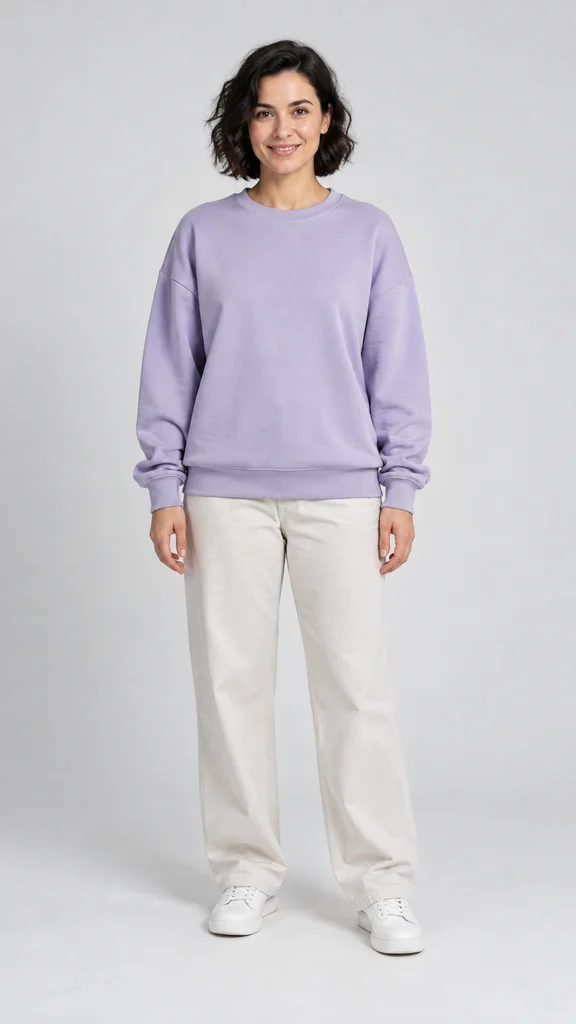
Actual generated result; one example, not a guarantee
The portrait and MP4 above are an existing public site demonstration. They are not a customer upload or an average-quality claim. Browse more video examples to compare the scene experiments; pets and custom audio shown there are not standard form options.
Which photo should I choose?
| If your photo has… | Before uploading |
|---|---|
| One clear adult face, even light | Use the original file; keep hair and shoulders visible |
| Several people | Choose a separate photo of the intended performer |
| Sunglasses, a hand across the face or a side profile | Choose a clearer frontal view |
| A heavily filtered or tiny face | Use a sharper, less processed original |
Use an image you have permission to use. JPEG, PNG, WebP and HEIC/HEIF uploads are supported up to 10 MB. Do not prepare six photos: the standard generator takes one adult portrait. The photo checklist has more detailed crop and lighting checks.
From that photo to a finished MP4
- Open the generator and choose your photo.
- Check the preview, then choose a one-time pack and confirm your delivery email.
- Payment confirmation starts the first generation. Allow about five minutes; queues can take longer.
- Open the private link from your email, watch the complete result and download it.
Output is approximately 15 seconds, vertical 720p MP4, with generated sound and no site-added watermark. No account or subscription is needed. Prices start at $9.90 for one attempt; two cost $18.90 and five cost $45.90.
Can the original background, lyrics and moves stay identical?
No. This creates a new performance, so bystanders, gestures, clothing details and audio can change. For exact edits to a specific source recording, evaluate a reference-video editing workflow instead. The Bulin AI vs CapCut guide explains which starting material each route needs.
A technical failure restores the count used; a completed result with imperfections still uses a count. Choose your best source photo before submitting. For a walkthrough with a four-step illustration, read how to make a Bulin 47 AI video.